Finding your printer details
How do I find the IP address of my HP printer?
It takes about thirty seconds at the printer itself — you won't need to sign in to anything.
1
Press the information icon
Find the blue information icon in the top-right corner of the printer's screen and press it.

2
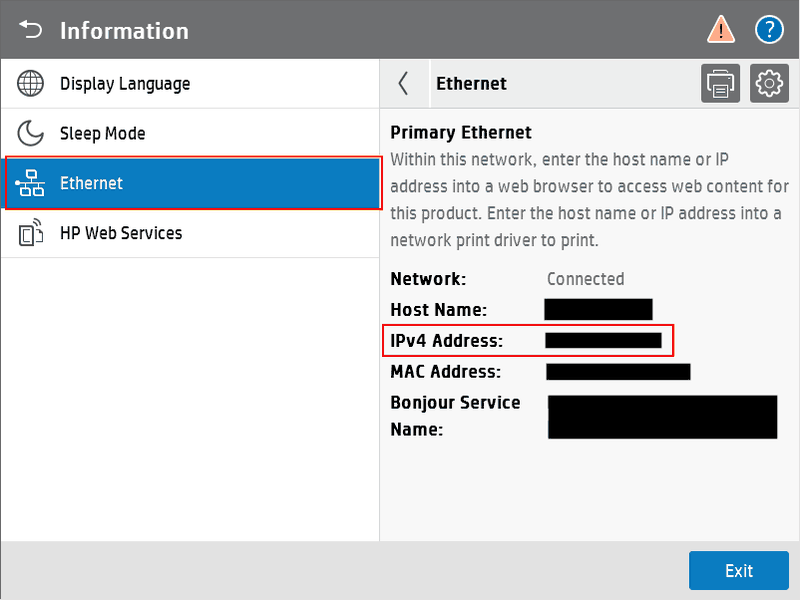
Choose Ethernet
In the list down the left-hand side, press Ethernet.
3
Read the IPv4 Address
The address appears on the right, next to IPv4 Address. It'll look something like 192.168.1.47 — four numbers separated by full stops.
Can't see the information icon?
Press the home button first, then look again in the top-right. On some models the icon appears as a lower-case i in a circle.
Send the address back to us and we'll do the rest. If you get stuck, reply to our email and we'll give you a hand.
Was this article helpful?
That’s Great!
Thank you for your feedback
Sorry! We couldn't be helpful
Thank you for your feedback
Feedback sent
We appreciate your effort and will try to fix the article