Finding your printer details
How do I find the IP address or meter readings of my Canon printer?
One button brings up both, so you can read them off the same screen.
1
Press the 123 button
You'll find it in the bottom-right corner of the printer's screen.

2
Read what you need
The Counter/Device Information screen opens. Everything is on this one screen:
IP address — top right, shown as IP Address: 192.168…
Meter readings — the numbers down the right-hand side, next to each counter.
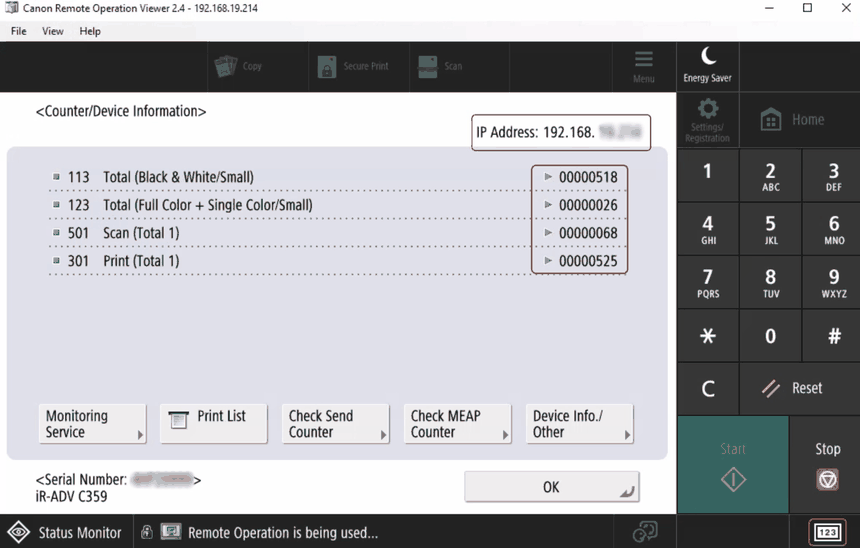
Which meter reading do you need?
If we've asked for readings, send us all the numbers you can see rather than picking one. The codes on the left (113, 123, 501, 301 and so on) tell us which is which, so please include those too.
Send the details back to us and we'll do the rest. If you get stuck, reply to our email and we'll give you a hand.
Was this article helpful?
That’s Great!
Thank you for your feedback
Sorry! We couldn't be helpful
Thank you for your feedback
Feedback sent
We appreciate your effort and will try to fix the article