Meter readings
How do I find the Meter Readings on my Ricoh device?
Three taps on the printer's touchscreen. You don't need to be signed in as an administrator.
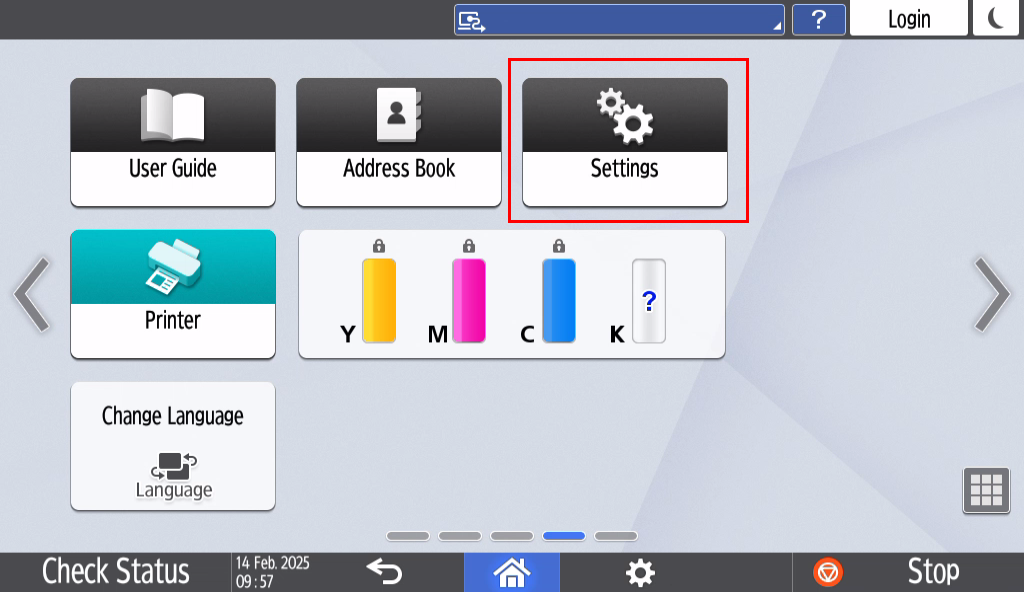
| Open SettingsFrom the home screen, swipe across to find and press Settings.
Settings is the cog icon. Swipe left or right if it isn't on the first page. |
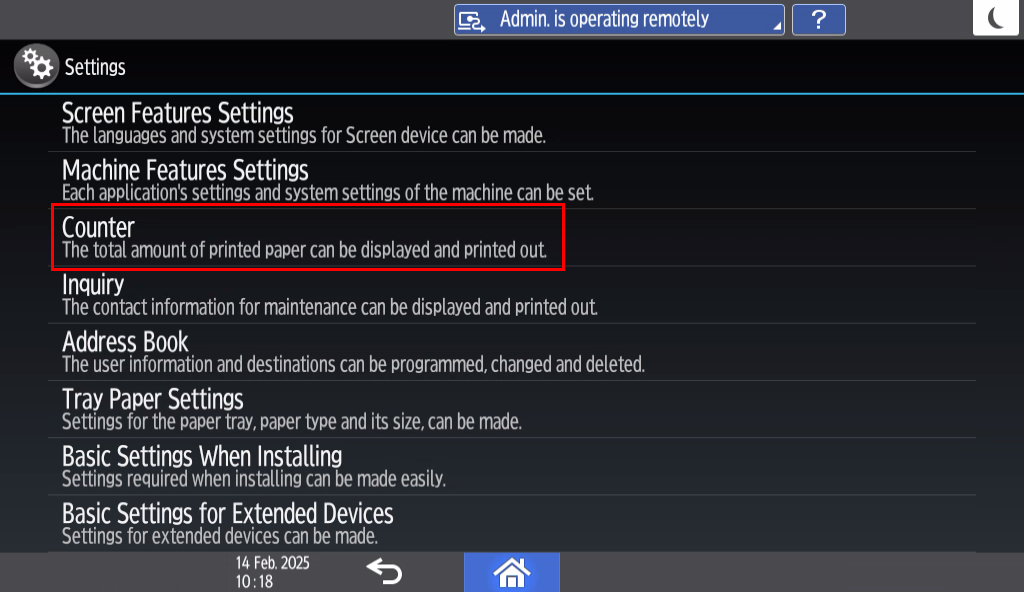
| Press CounterFind Counter in the list and press it. It sits third down, under Machine Features Settings.
|
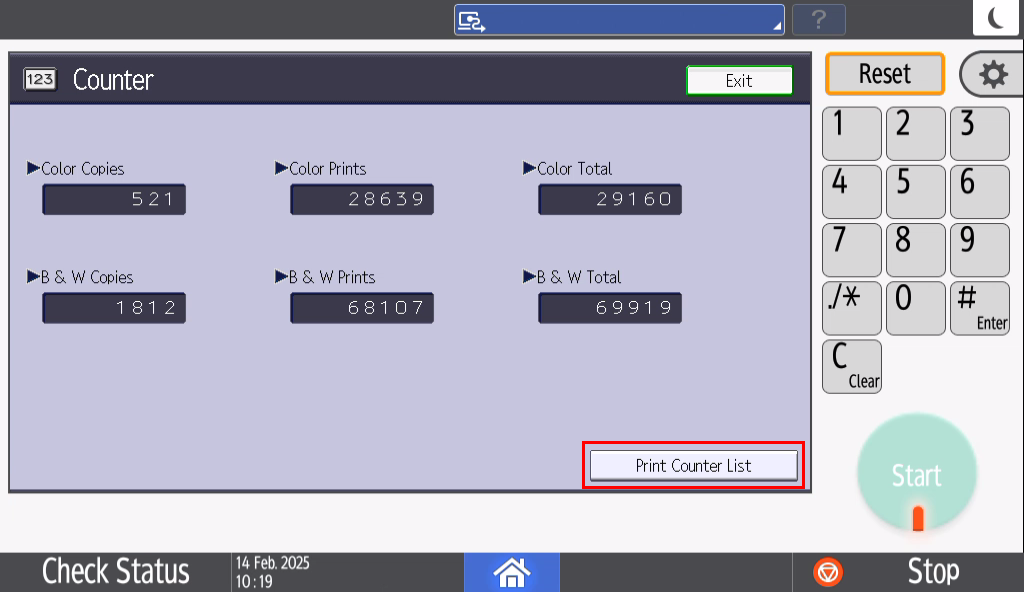
| Read or print the countersThe counters are shown on this page. To print them off, press Print Counter List at the bottom right.
The two we usually need are Color Total and B & W Total. |
Reply to our email with the Color Total and B & W Total figures, or attach a photo of the screen or the printed counter list. If you have more than one printer, please include the serial number so we know which is which.
Was this article helpful?
That’s Great!
Thank you for your feedback
Sorry! We couldn't be helpful
Thank you for your feedback
Feedback sent
We appreciate your effort and will try to fix the article