How do I set my copying default to Black & White, Colour or Auto Colour Select

Modified on Tue, 30 Jun at 7:58 AM

1.  Select the default settings you require.

    Click on Recall/Program/Change Program
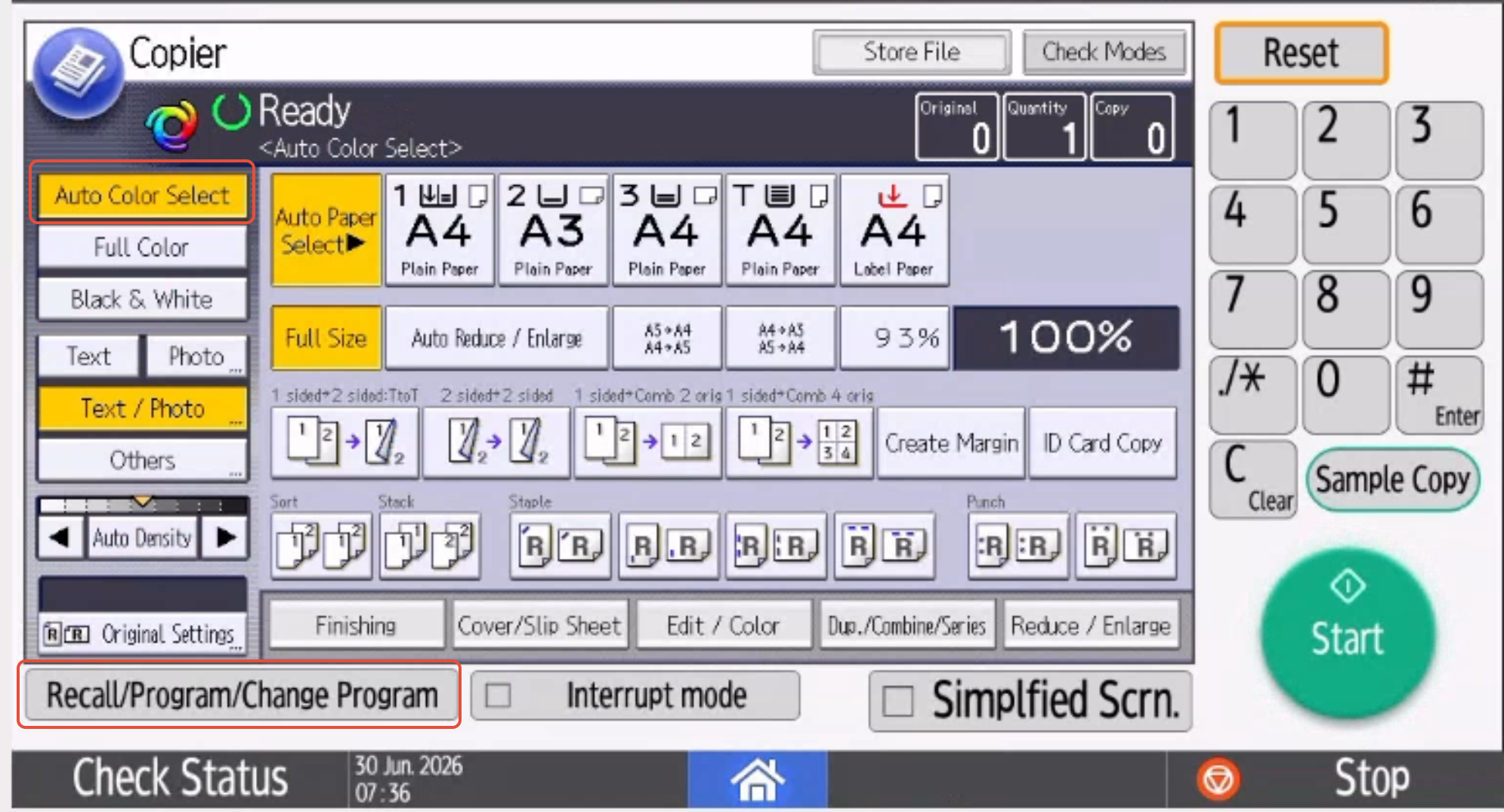

A screenshot of a computer AI-generated content may be incorrect. 


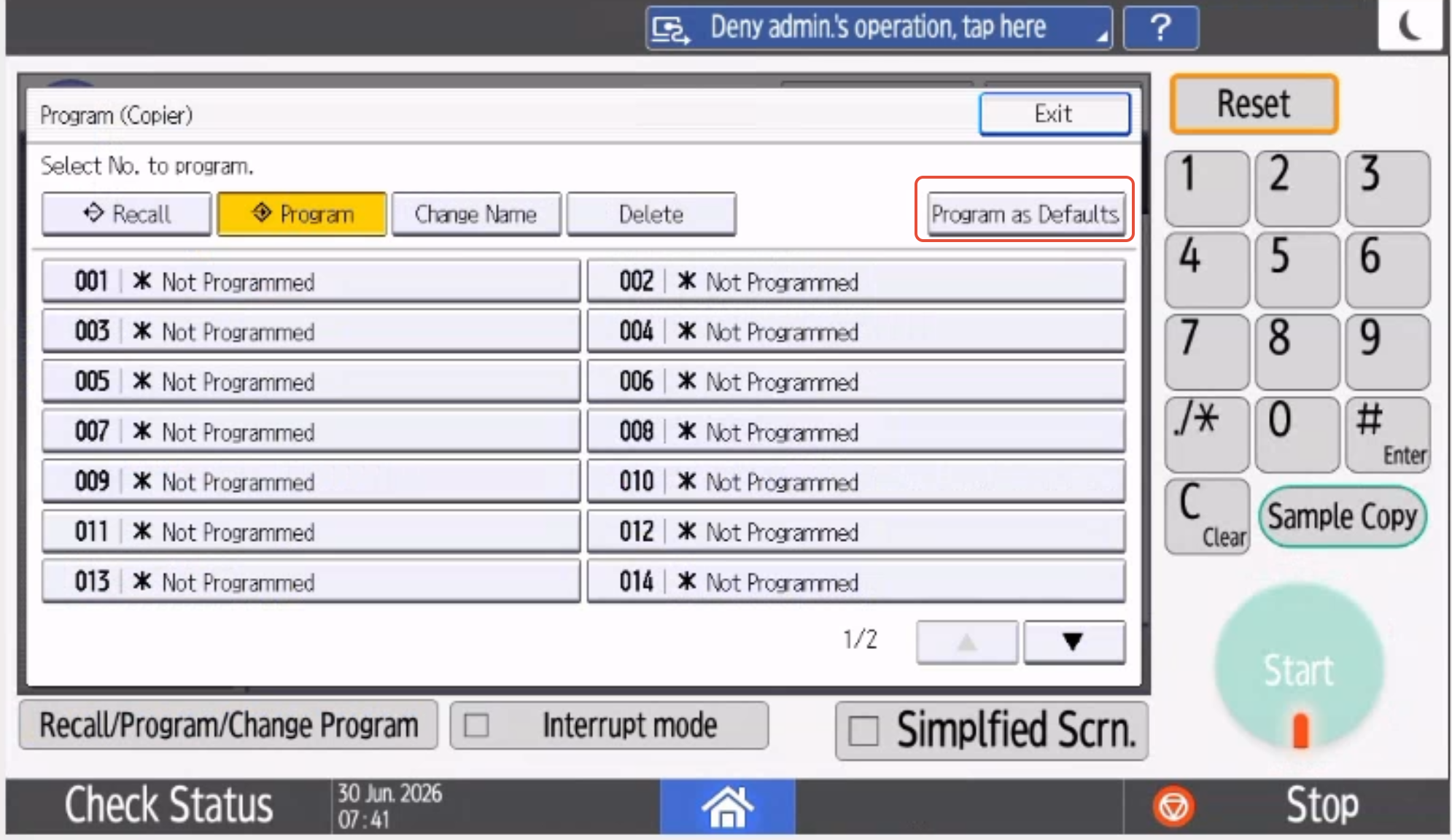
2. Click on Program as Defaults


A screenshot of a computer 
AI-generated content may be incorrect.


3. If this is locked and you see the below screen, click on Login otherwise go to step 6
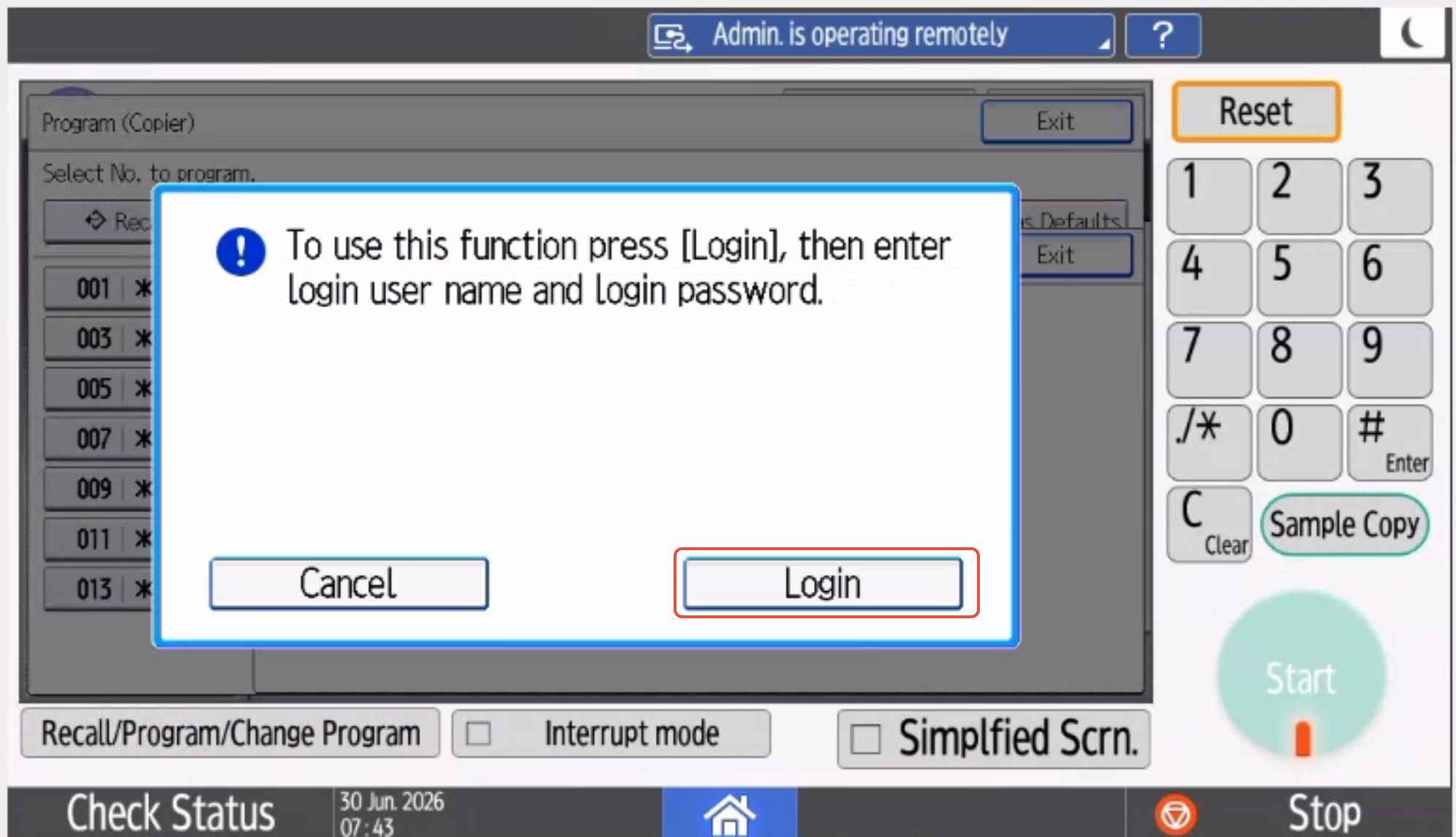

A screenshot of a computer 
AI-generated content may be incorrect.


4.  Enter the User Name. Default is admin

    Click on OK
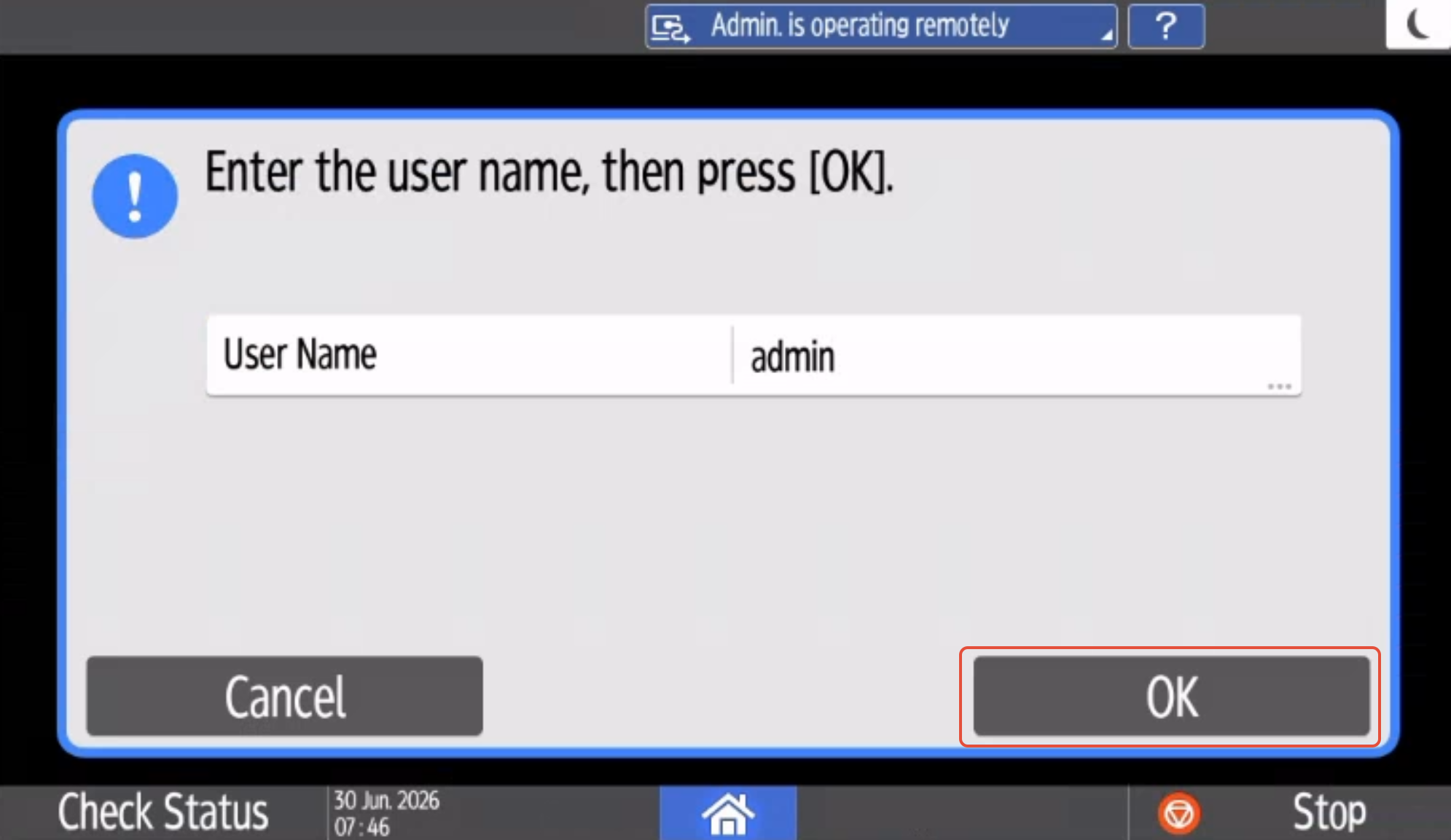

A screenshot of a computer AI-generated content may be incorrect. 


5. Enter the Password, default is Blank/No password

    Click on OK
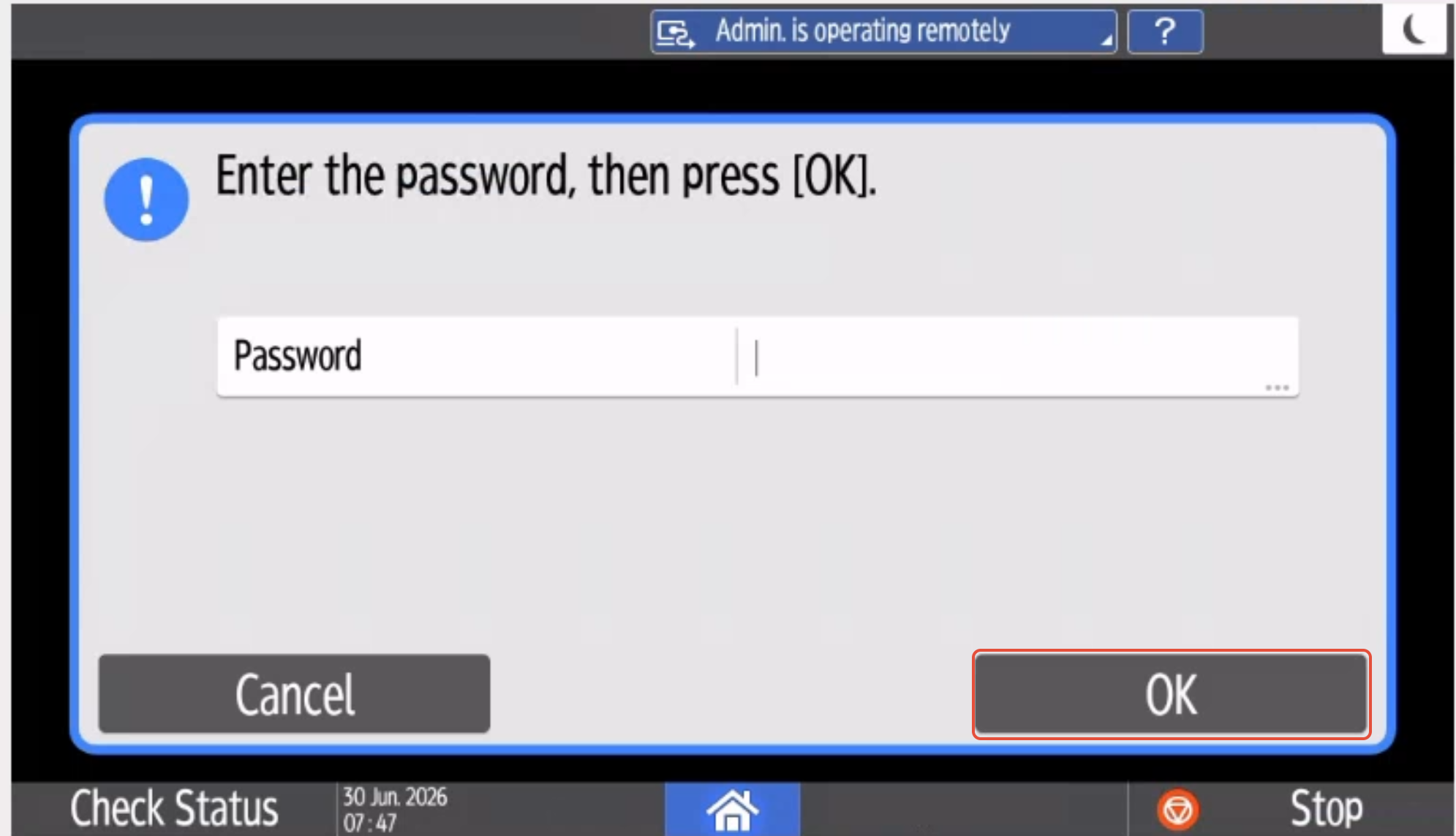

A screenshot of a computer 
AI-generated content may be incorrect.


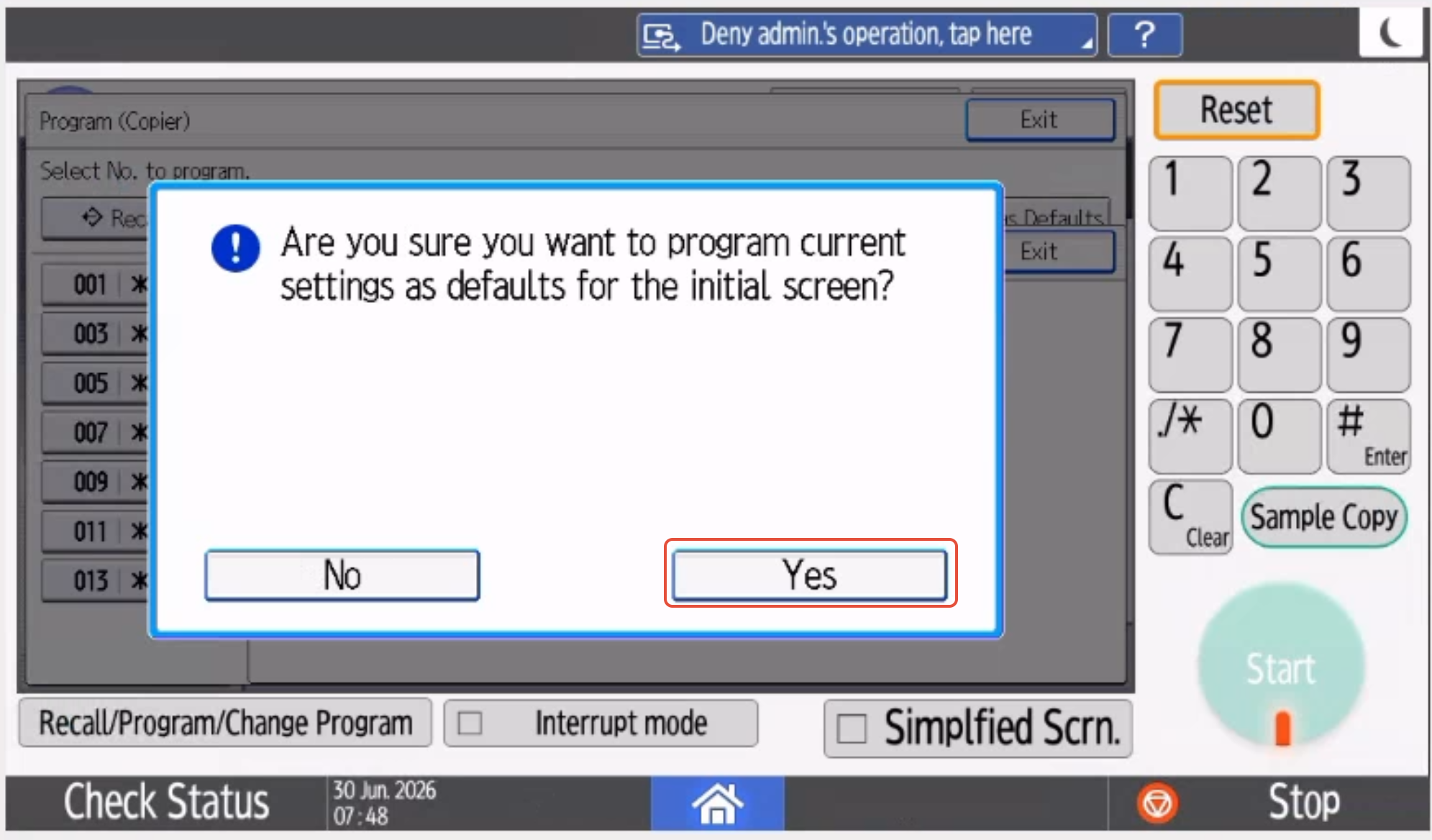
6. Click on Yes


A screenshot of a computer 
AI-generated content may be incorrect.


7. To check if it works, change your settings and press Reset, this should change to your new default settings
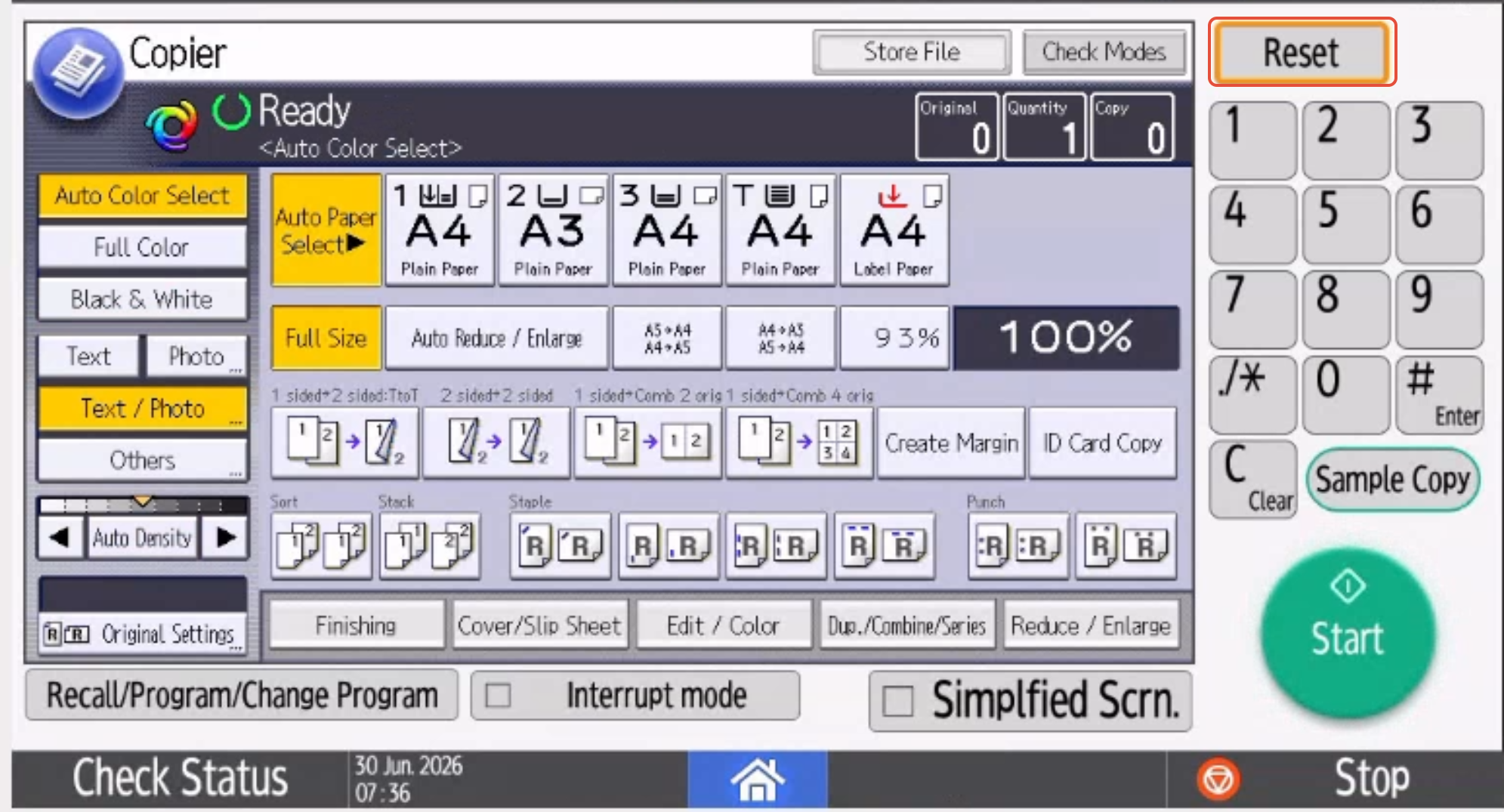

A screenshot of a computer 
AI-generated content may be incorrect.


Was this article helpful?

That’s Great!

Thank you for your feedback

Sorry! We couldn't be helpful

Thank you for your feedback

Let us know how can we improve this article!

Select at least one of the reasons
CAPTCHA verification is required.

Feedback sent

We appreciate your effort and will try to fix the article