- What issues do I face when VRFM Monitor is down?
- What is EKM Insight DCA Console?
- What if the computer the software runs on is not in use?
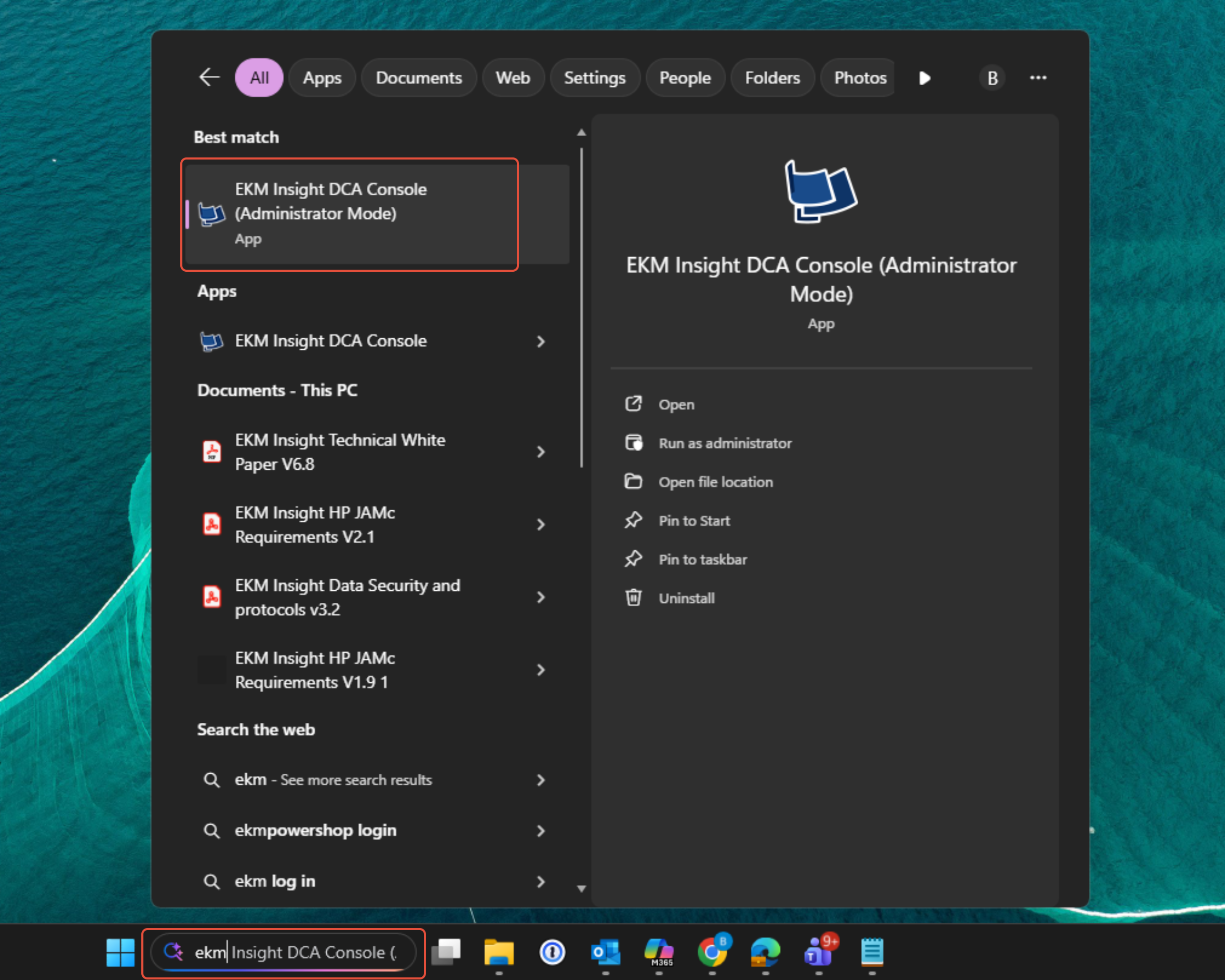
1. In the Search bar type in EKM
Open EKM Insight DCA Console (Administrator Mode)
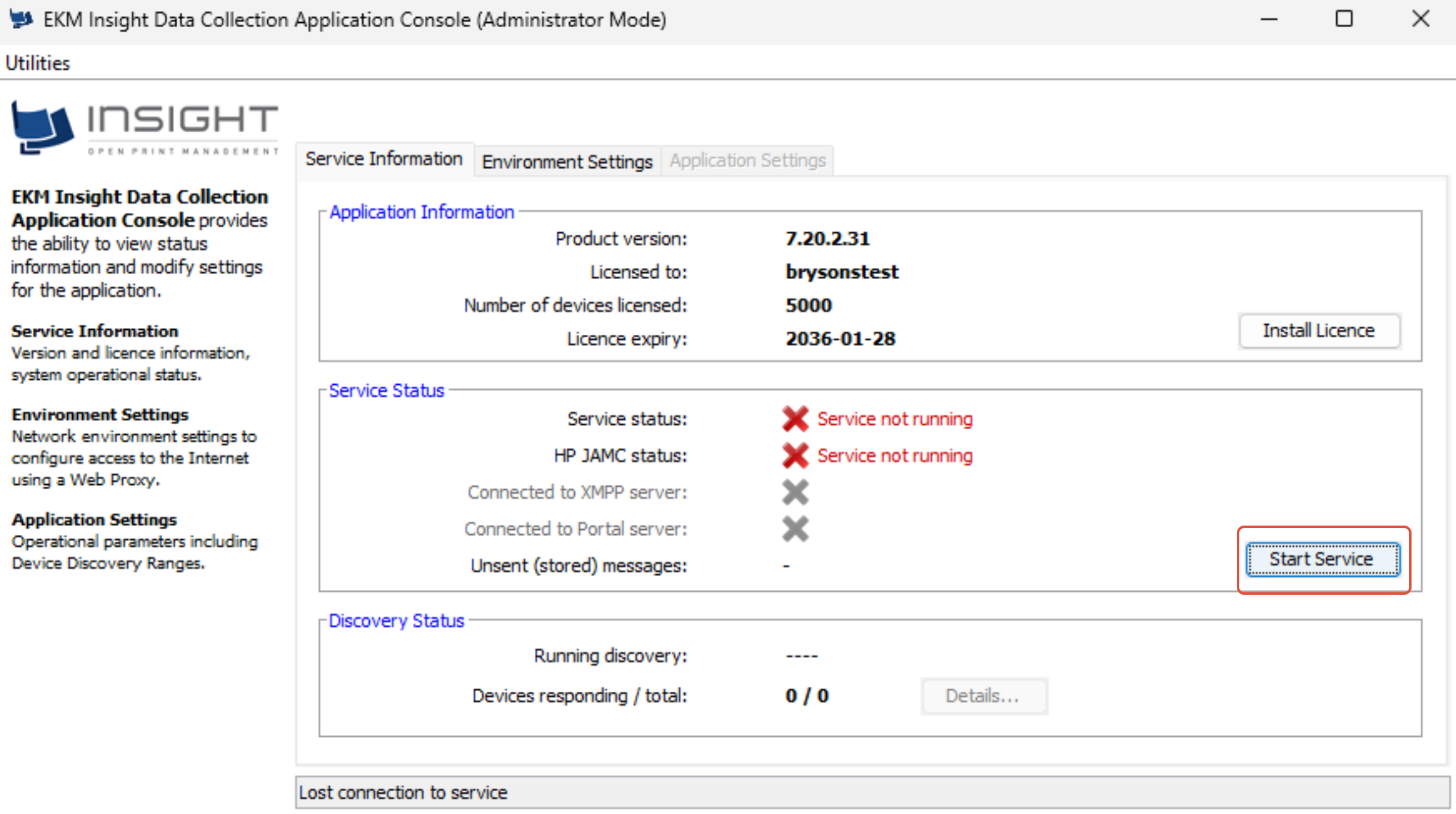
If you’re unsure how to carry this out or which computer the software is installed on, please forward this email to your IT department or the person responsible for managing your systems. Alternatively contact us and we can arrange a remote session.
What issues do I face when VRFM Monitor is down?
While it’s offline, we’re unable to:
• Monitor toner levels to automatically order replacements
• Collect meter readings from your printer
What is EKM Insight DCA Console?
VRFM DCA is a small software tool installed on a PC or server — typically set up by your IT team or whoever manages your devices or network.
What if the computer the software runs on is not in use?
• You can install the software on a different computer connected to your network by following the guide How do I install VRFM - Visions Managed Print Solutions
• You will need a license code to complete the installation. This can be obtained by contacting your account manager or emailing clientservices@visionplc.co.uk
Was this article helpful?
That’s Great!
Thank you for your feedback
Sorry! We couldn't be helpful
Thank you for your feedback
Feedback sent
We appreciate your effort and will try to fix the article